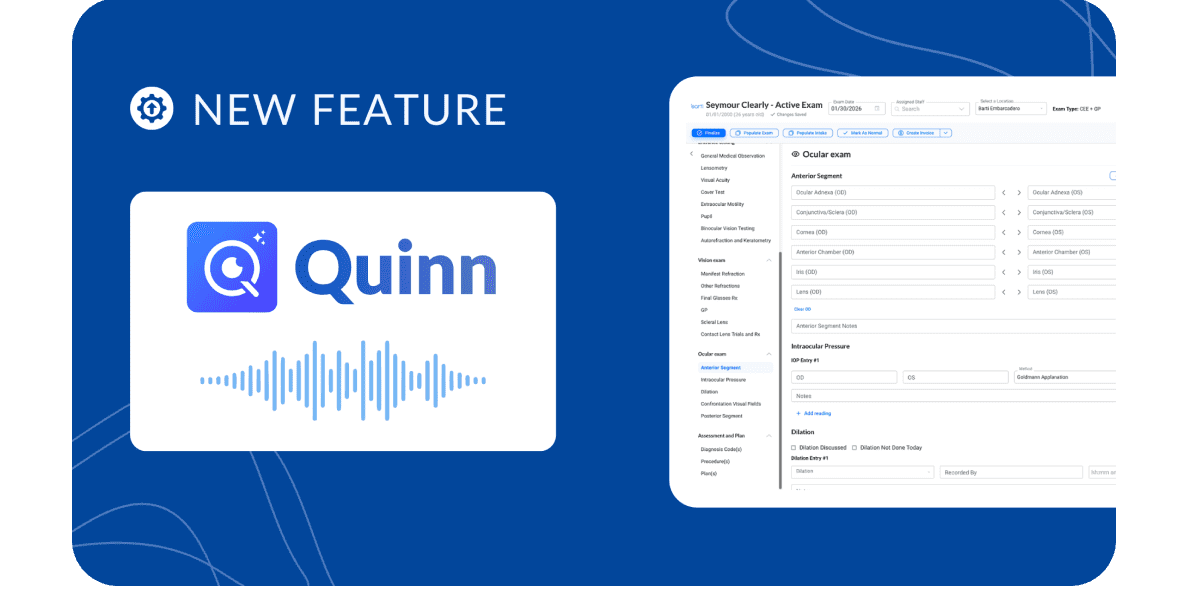
TL;DR: Talk to your patient in Spanish. Get an English chart before they leave the chair. Quinn, Barti’s AI scribe, drafts history, findings and suggested codes live while you focus on the exam. Bilingual providers, your after-hours charting just got a lot shorter.
Yes. An AI scribe for Spanish-speaking patients can listen to an exam conducted in Spanish and write the chart in English, filling in the chief complaint, history, findings and plan as the visit happens. In Barti, that scribe is Quinn, and our demo video shows it charting a comprehensive exam with a Spanish-speaking demo patient, live, while the conversation is still happening.
For a bilingual provider, that means no more translating in your head and then typing it all again after the patient leaves. For a small practice serving a Spanish-speaking community, it’s 1 less reason charts pile up at 6 pm.
Key takeaways
- An AI scribe for Spanish-speaking patients listens to the conversation in Spanish and drafts the exam note in English, inside the EHR.
- In the demo, Quinn fills structured fields (chief complaint, review of systems, family history, IOP, anterior and posterior segment) and suggests diagnosis codes for the provider to review.
- Quinn charts in real time. The note builds while you talk, so you can check it before the patient leaves the chair.
- The provider stays in charge: every field is editable, and nothing is final until you sign the chart.
- An AI scribe documents the visit. It doesn’t replace a qualified medical interpreter when you and your patient don’t share a language.
How does an AI scribe document a Spanish-language eye exam?
An AI scribe documents a Spanish-language eye exam by listening to the visit, transcribing the Spanish speech, translating it and placing each detail into the matching English field of the exam record. The provider talks with the patient normally. The scribe drafts the chart in real time, and the provider reviews and signs it.
Here’s what that looked like in the demo, field by field:
- The provider starts listening. One click, and Quinn’s “Listening” indicator turns on in the exam toolbar.
- The chief complaint fills in. Within about 50 seconds, the chart read: “Patient reports headaches with prolonged work, wants to ensure health due to family history of diabetes and glaucoma.”
- History lands in the right buckets. Headaches and blurry distance vision went into review of systems. A parent’s glaucoma went into family ocular history. Diabetes went into medical history as an ongoing condition.
- Exam findings get captured as you call them out. IOP readings, the tonometry method and the time were recorded. Lens findings showed up in the anterior segment.
- Diagnosis codes are suggested. Near the end of the visit, Quinn added 6 suggested ICD-10 codes based on what was discussed, including myopia and presbyopia, for the provider to confirm.
- The plan gets written. Updated Rx, lens options discussed and contact lens care education were all drafted as plan items.
In this demo, Quinn charted a comprehensive exam in about 3 minutes of screen time. You’ll still type some details yourself, but you’ll stop far less often to document, so more of the visit stays face to face with your patient.
Why does real-time charting matter with Spanish-speaking patients?
Real-time charting means Quinn fills in the chart while the exam is still happening, so the note builds in front of you as you talk. You can glance at it between tests, catch a missed detail while the patient is still in the chair, and ask a follow-up question in Spanish right away.
Many AI scribes wait until the visit ends, then send back a note to review. With a patient who speaks another language, that gap matters: by the time the note shows up, the patient has left and any clarifying question means a callback.
With Quinn, you see the English chart take shape during the visit:
- Check as you go. If a family history detail lands in the wrong place, fix it on the spot.
- Ask while they’re there. Spot a gap in the history and ask about it before the patient stands up.
- Finish when the exam finishes. Review, sign and walk the patient out, with no chart waiting for you at 6 pm.
Who needs an AI scribe for Spanish-speaking patients?
An AI scribe for Spanish-speaking patients is for eye care providers who examine Spanish-speaking patients and chart in English. That includes bilingual optometrists, ophthalmologists and opticians, practices with Spanish-speaking techs, and offices in communities where a big share of patients prefer Spanish. It helps most where documentation already runs behind.
Bilingual providers carry a hidden workload. You hold the conversation in 1 language and write the chart in another, so every exam gets mentally translated twice: once while you listen and again while you type.
If you speak Spanish with your patients, your software should make that easier.
What does the chart look like when the visit is in Spanish?
The chart looks like any other English exam note in your EHR. Fields are filled in the same structured format your practice already uses, so billing, referrals, recalls and audits work the same way. A visit held in Spanish produces an English chart your whole team can read.
That matters for small teams. Your front desk, your billing person and the provider covering next Tuesday all read the same note, whether or not they speak Spanish.
Here’s how the 2 workflows compare:
{{spanish-ai-scribe-table="/rich-text-component-page"}}
Is an AI scribe the same as a medical interpreter?
No. An AI scribe writes the chart; a medical interpreter helps you and your patient understand each other.
If you don’t share a language with your patient, you still need a qualified interpreter for the conversation itself. The scribe documents what was said, and the provider reviews that documentation before signing.
In practice, the cleanest fit is simple:
- Bilingual provider, Spanish-speaking patient: you talk directly, and Quinn drafts the English chart.
- Provider and patient don’t share a language: use a qualified interpreter for the visit, and the AI scribe can still help with documentation.
Your practice’s language access policy should spell out which applies when.
How accurate is AI translation in an exam note?
AI translation in an exam note is accurate enough to draft the chart and still needs a provider’s review before signing. Barti reports 96%+ accuracy for AI Scribe’s generated text. Eye care terms, regional Spanish accents and code-switching between languages are the places to check most closely.
A few habits make the draft better:
- Say findings out loud. Quinn captures what it hears, so “IOP 12 right, 13 left, iCare” lands in the chart.
- Let the patient finish. Overlapping speech is harder for any scribe, human or AI.
- Skim before you sign. Treat the draft like a note from a sharp new tech: usually right, always worth a read.
- Watch medication names and laterality. These are the fields where one wrong word changes the meaning.
Quinn is AI-assisted documentation. Clinical judgment stays with you.
How does Barti handle Spanish-speaking patients?
Barti handles Spanish-speaking patients with Quinn, the AI built into Barti’s EHR, which listens during the exam and writes the note in English inside the same chart you already use. It runs in Barti’s HIPAA-compliant platform, so there’s no separate app, extra log-in or copy-and-paste step.
The bigger win is time. Practices on Barti save 10+ hours per week on manual entry, and that number doesn’t care which language the exam happened in.
Because Quinn lives inside the same platform as scheduling, billing and phones, the English chart it drafts flows straight into the rest of your day.
One log-in. One record. You can read more about how it works in Meet Quinn: Barti’s AI built for eye care.
Which languages does Barti’s AI scribe support?
Barti’s AI scribe, Quinn, works with 70 languages, including English. Spanish is the most spoken language in US homes after English, and the same real-time workflow covers Chinese, Vietnamese, Korean, Filipino, Arabic, Russian, Portuguese and dozens more. The visit happens in the patient’s language, and the chart comes out in English.
Here’s the full list:
Afrikaans, Albanian, Amharic, Arabic, Armenian, Assamese, Azerbaijani, Basque, Belarusian, Bengali, Bosnian, Bulgarian, Catalan, Chinese, Croatian, Czech, Danish, Dutch, English, Estonian, Filipino, Finnish, French, Galician, Georgian, German, Greek, Gujarati, Hebrew, Hindi, Hungarian, Icelandic, Indonesian, Italian, Japanese, Kannada, Kazakh, Khmer, Korean, Lao, Latvian, Lithuanian, Macedonian, Malay, Malayalam, Marathi, Mongolian, Nepali, Norwegian, Odia, Polish, Portuguese, Punjabi, Romanian, Russian, Serbian, Slovak, Slovenian, Spanish, Swahili, Swedish, Tamil, Telugu, Thai, Turkish, Ukrainian, Urdu, Uzbek, Vietnamese and Zulu.
Frequently asked questions
{{spanish-ai-scribe-faq="/rich-text-component-page"}}
See Quinn chart a Spanish exam live
Want to watch it on one of your own exam templates? Book a demo and we’ll run a Spanish-language visit with you.